
Troubleshooting
Even with careful design, sometimes Roversa may not behave as expected. Don’t worry—most issues are easy to solve! This guide will walk you through common problems and simple steps to get Roversa moving, coding, and exploring again. Before you dive into troubleshooting, try these quick troubleshooting and debugging tips first—they often solve the problem right away!
Troubleshooting Tips
- Before inputting code using the buttons, make sure the smiley face is visible (Standalone mode).
- Once Roversa has completed running a program it automatically clears the code so that you are ready to begin a new program.
- Check that Roversa is fully charged.
Debugging Tips
- Work through your code step-by-step.
- Talk through your code with a friend (or a rubber ducky :)
- Experiment and try something new.
- Celebrate mistakes as learning.
- Take a break.
The robot isn’t turning on
Always start with the simplest checks—loose connections and low batteries are the most common causes.
- Make sure the battery cable is fully plugged into the circuit board. (A pair of needle-nose pliers can help push it in securely.)
- If the cable is connected, the battery may be dead. Charge Roversa regularly for best performance. The charging port is on the end of the circuit board, marked with a lightning bolt symbol.
- If the battery isn’t the issue, try reseating the micro:bit in the edge connector or reinstalling firmware.
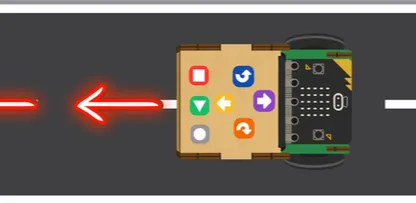
The robot is going in the wrong direction
If Roversa is moving backwards instead of forwards, it usually means the motor cables are plugged into the wrong ports on the circuit board.
How to fix it:
- Power off Roversa.
- Check the motor cables on the circuit board.
- Swap the cables—switch which motor is plugged into each port.
- Power Roversa back on and test movement again.
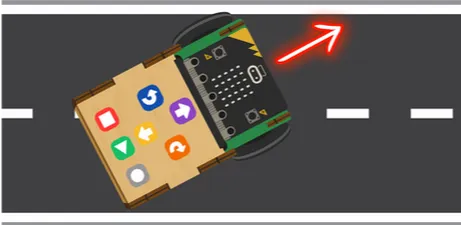
The robot isn’t going straight
If Roversa drifts left or right, it’s usually caused by wheel friction or motor imbalance. Try the following steps:
- Glideball: Turn the robot upside down and run your finger over the glideball. If it doesn’t roll smoothly, use sandpaper or a file to smooth the inside of the glideball holder.
- Front wheels: Make sure they aren’t screwed on too tightly. They should wiggle slightly when you pull on them.
If the robot still moves oddly, try running the Calibration Wizard.
I’ve tried everything and still feel stuck!

Feeling stuck is a normal part of troubleshooting—it happens to everyone. If you’re getting frustrated, set Roversa aside and take a break. Our brains often work on problems in the background, and fresh ideas can appear once you come back with a clear mind.
If the problem continues after a break:
- Report the issue to Roversa so we can investigate and improve.
- Include details about what you tried and what happened—that helps us help you faster.
Remember: troubleshooting is a learning process, and persistence is part of the journey!