
LED Symbols
Roversa uses the LED display on the micro:bit to tell you what it is doing.
| Symbol | Meaning |
|---|---|
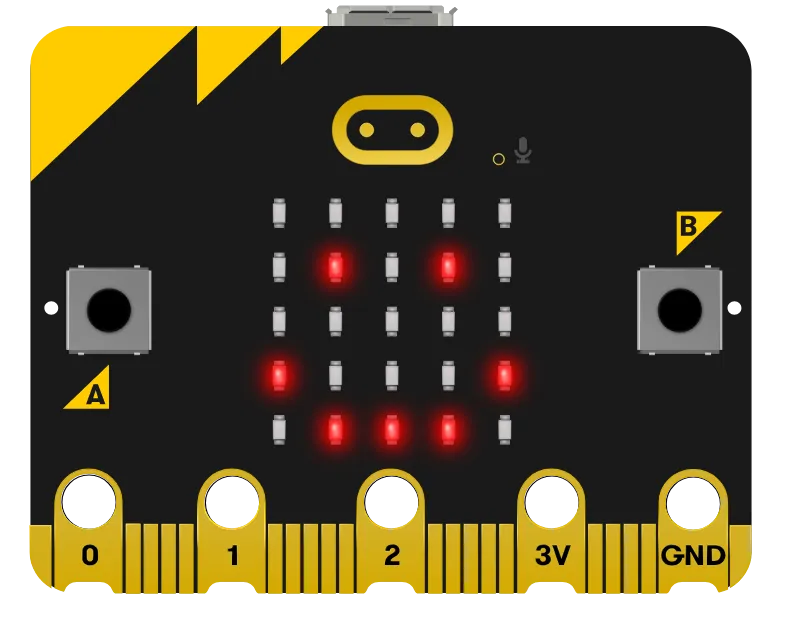 |
Indicates that Roversa is charged and ready. |
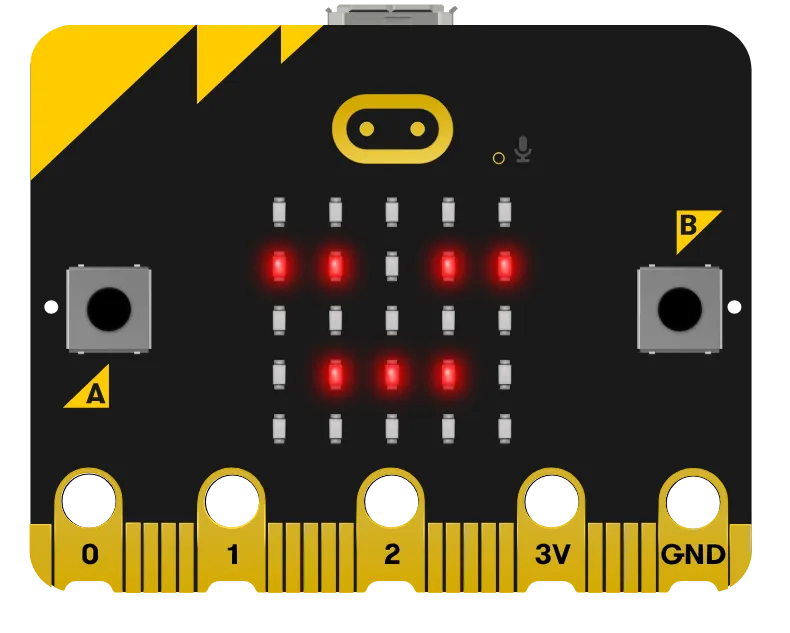 |
Indicates that Roversa’s battery is getting low. |
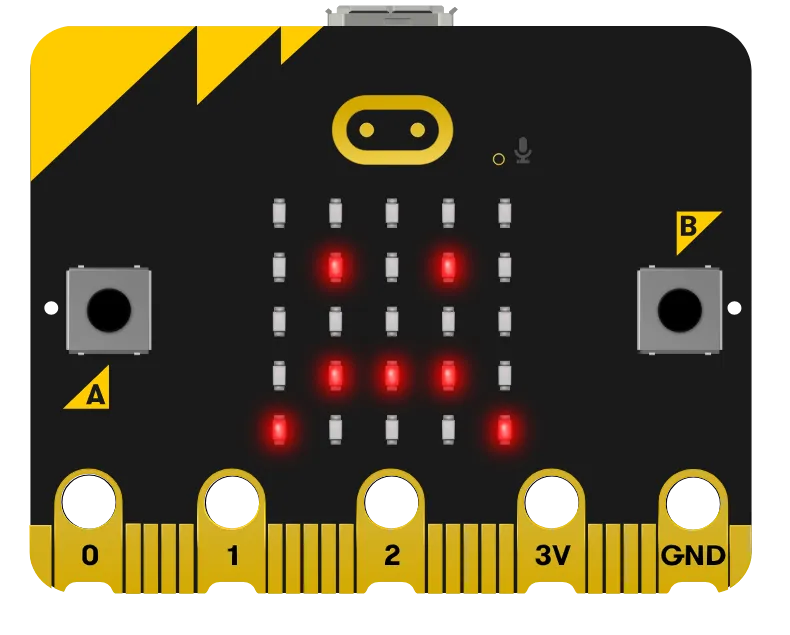 |
Indicates that Roversa is not ready and needs charging. |
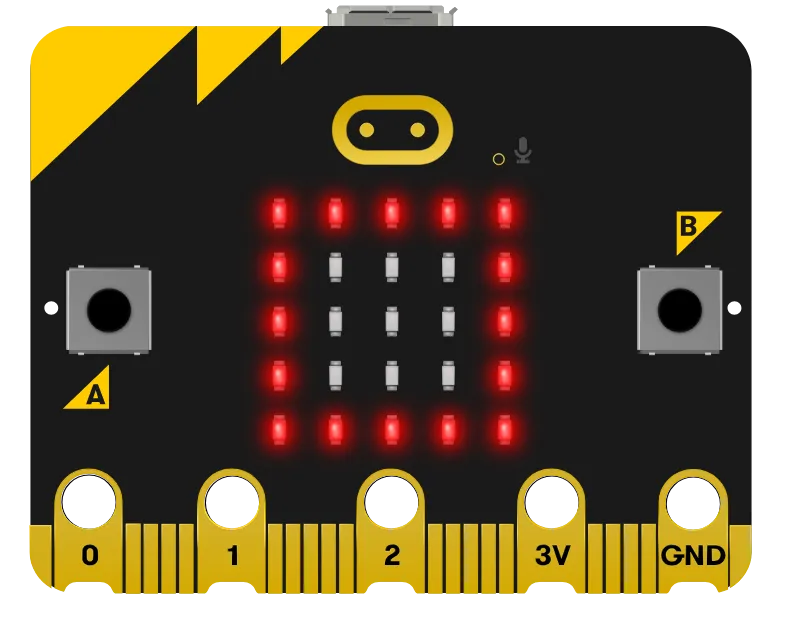 |
Indicates there is no code to run. |
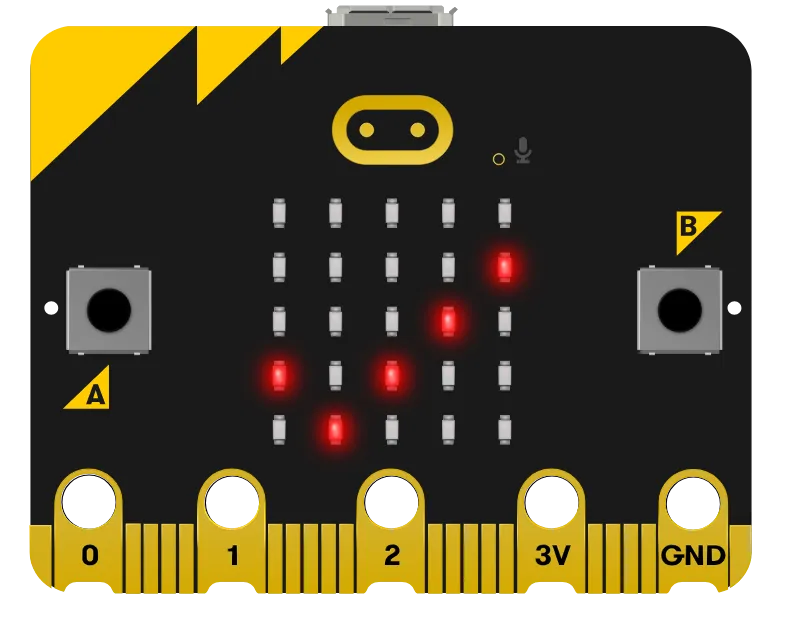 |
Indicates values saved during calibration. |
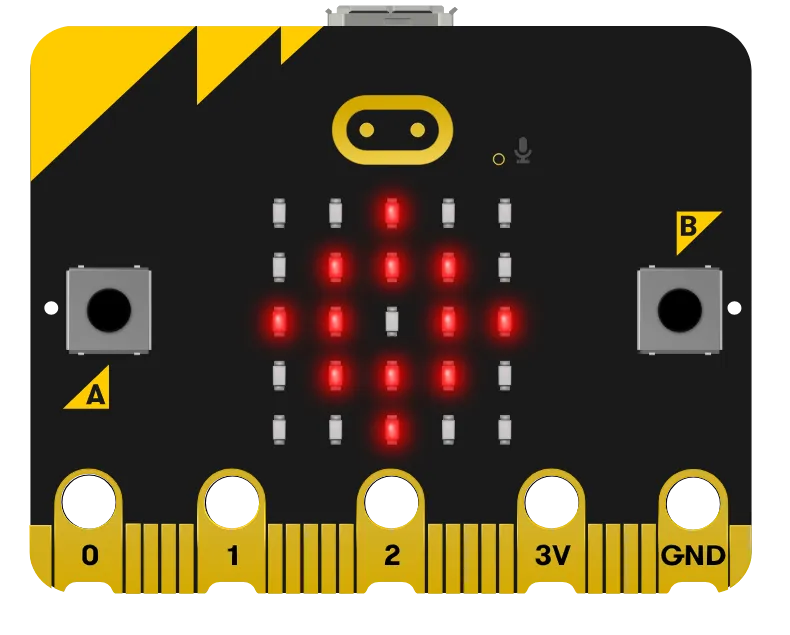 |
Indicates code from directional buttons has been erased or values have been reset to factory settings during calibration. |
See Charging for what the status light colors mean.