Skip to content
Roversa
  • Classroom
    • Meet Roversa
    • Get Started with Your Robot
    • Lessons & Activities
    • Updates & Support
    Go to the Classroom home
  • Partner
  • Blog
  • About
    • About us
    • In the News
  • Store
Join the Community

Input and Output

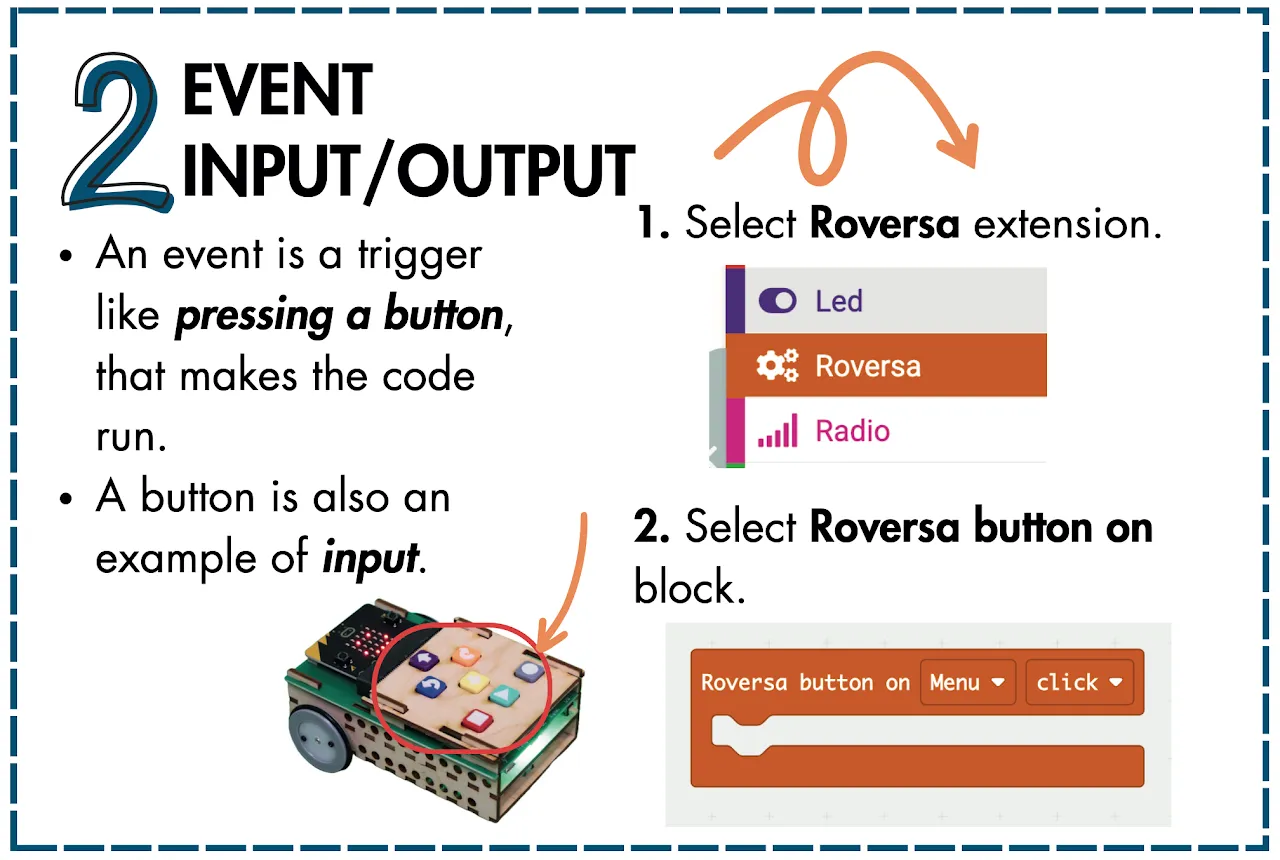
Challenge Card 2, Event Input/Output. An event is a trigger like pressing a button, that makes the code run. A button is also an example of input. 1. Select Roversa extension. 2. Select Roversa button on block.

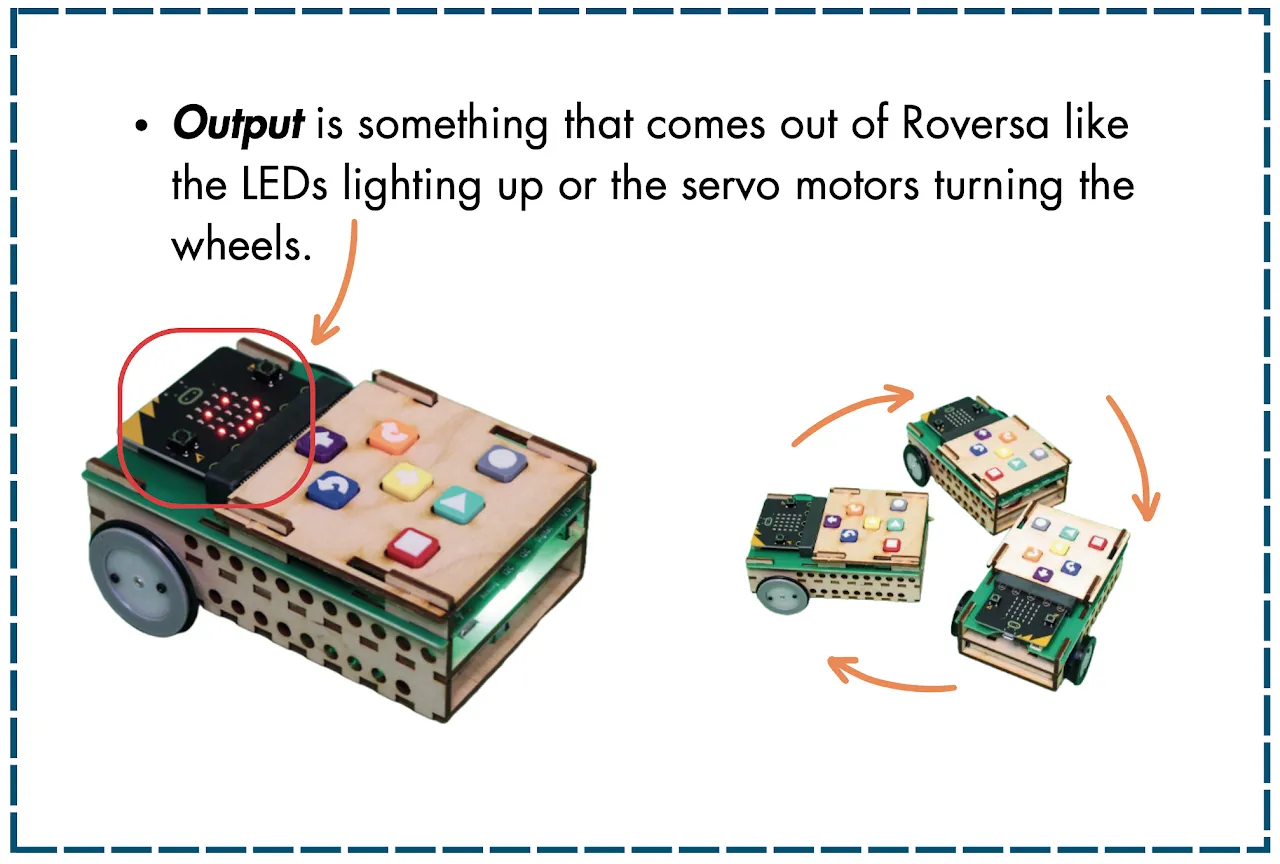
Challenge Card 2, back. Output is something that comes out of Roversa like the LEDs lighting up or the servo motors turning the wheels.

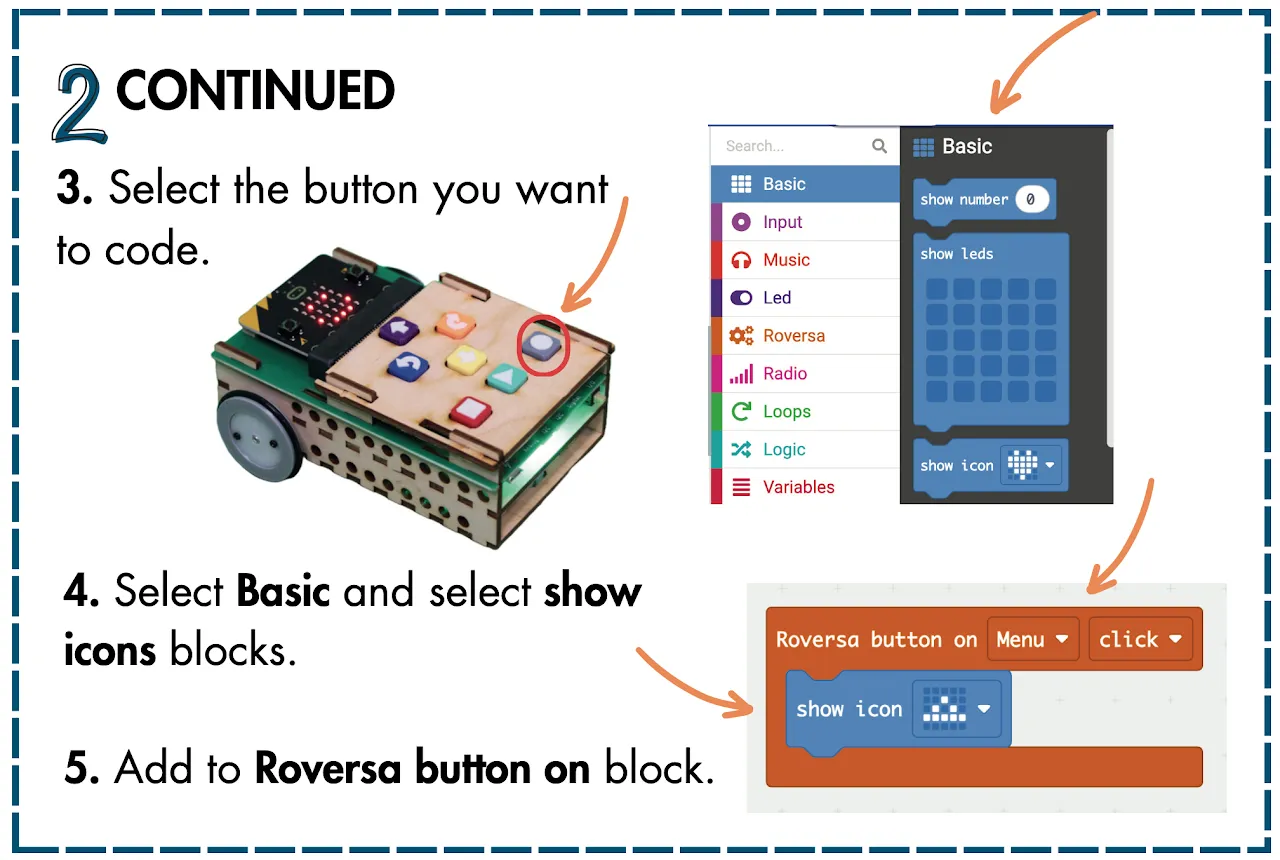
Challenge Card 2, continued. 3. Select the button you want to code. 4. Select Basic and select show icons blocks. 5. Add to Roversa button on block.

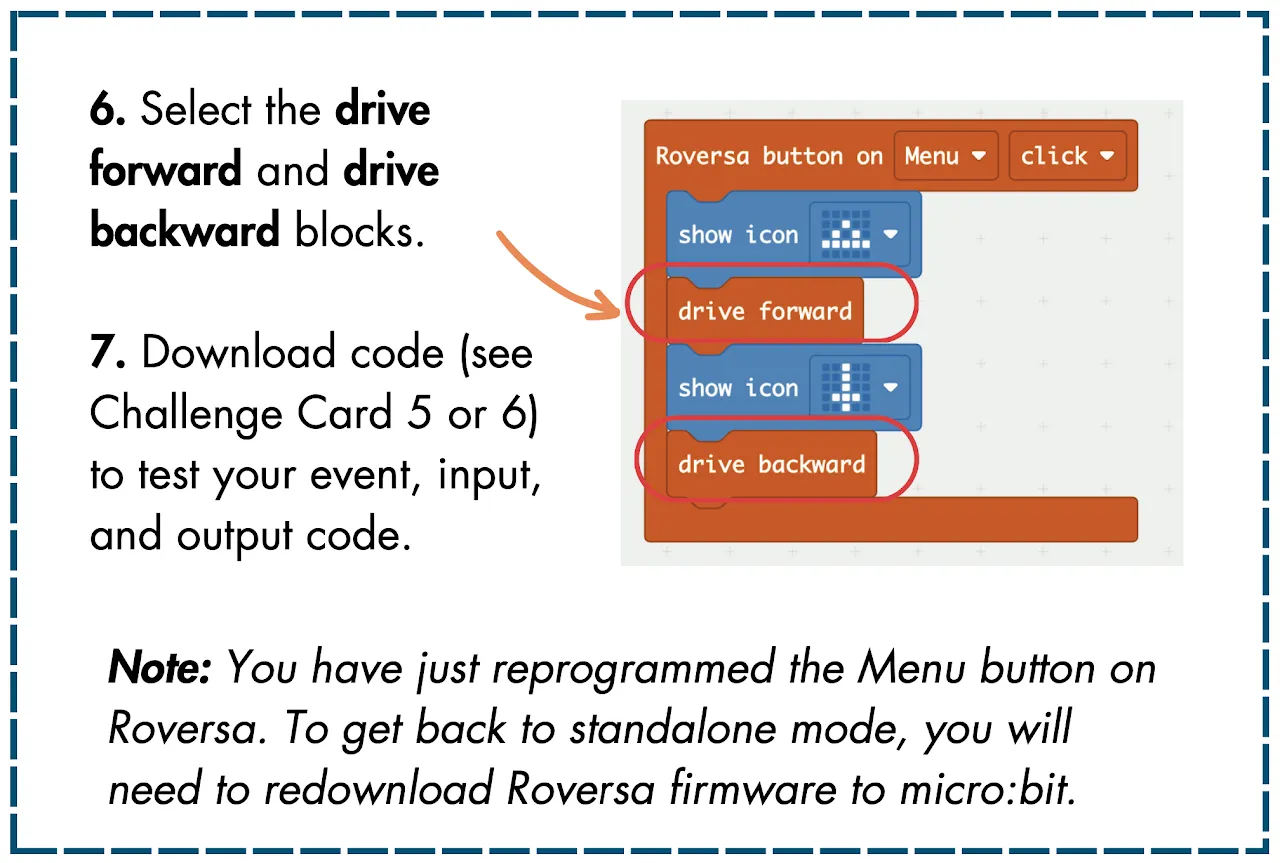
Challenge Card 2, continued back. 6. Select the drive forward and drive backward blocks. 7. Download code (see Challenge Card 5 or 6) to test your event, input, and output code. Note: You have just reprogrammed the Menu button on Roversa. To get back to standalone mode, you will need to redownload Roversa firmware to micro:bit.

← Add Roversa Extension

Loops ►

Roversa

Little robot, big dreams.

Join the mailing list

Classroom

  • Classroom home
  • Meet Roversa
  • Get Started with Your Robot
  • Lessons & Activities
  • Updates & Support

Company

  • About us
  • In the News
  • Partner with us
  • Blog
  • Store

Say hi

  • [email protected]
  • Join the Community
  • Get the newsletter
  • Instagram
  • YouTube
  • LinkedIn
  • GitHub

© 2026 Roversa Robotics LLC. Roversa™ is a trademark of Roversa Robotics LLC. Classroom materials are shared under CC BY-NC-SA 4.0.