Add Roversa Extension
You will need to add the Roversa extension to get access to the Roversa blocks.
Once the Roversa extension has been added to a program, it will stay there.
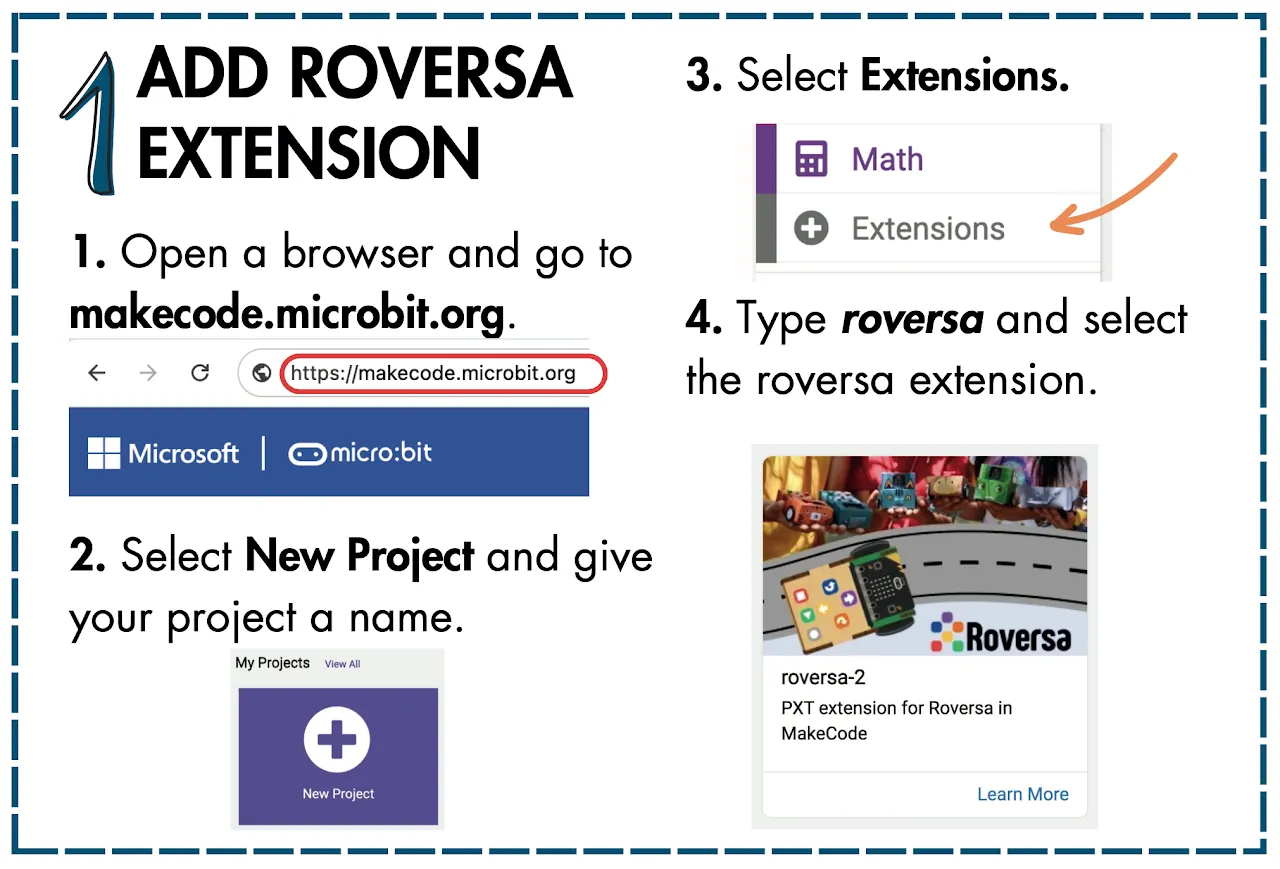
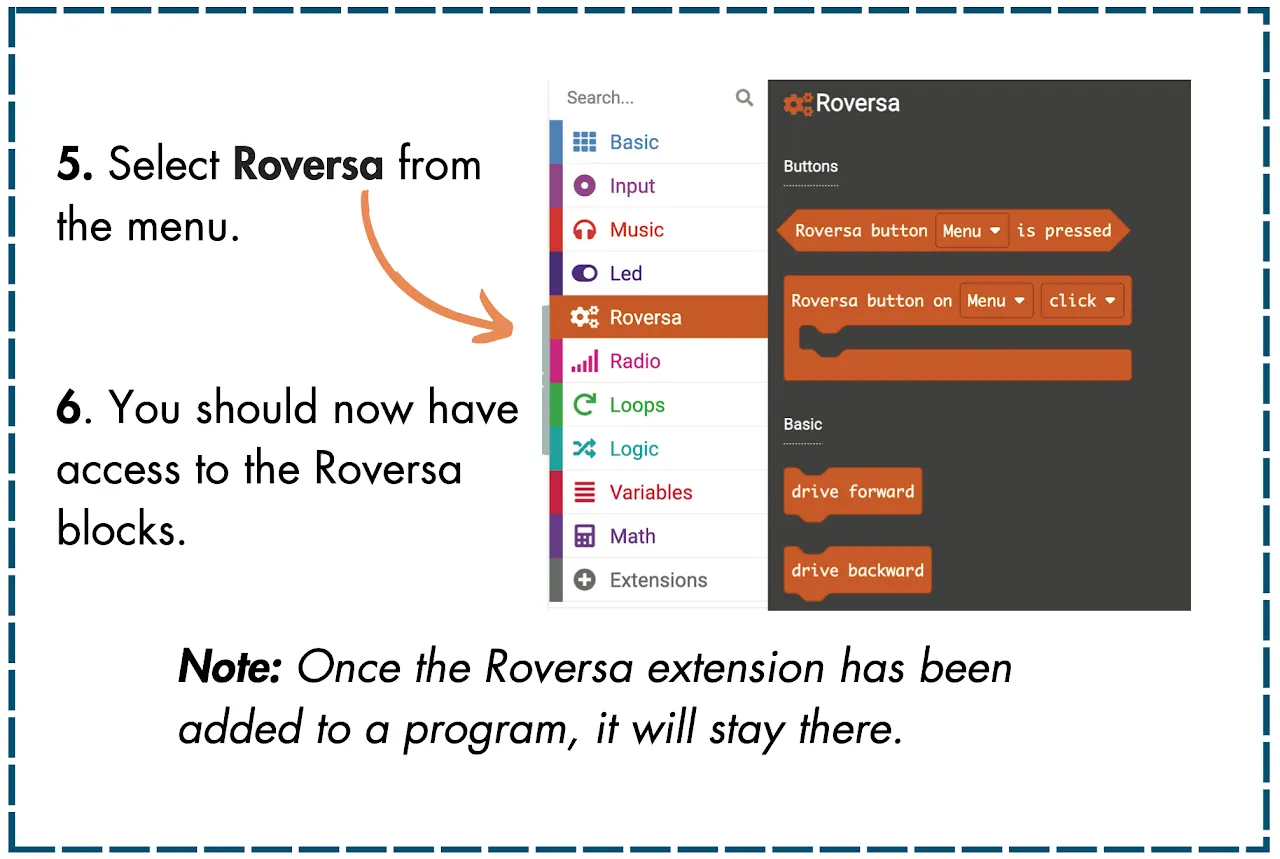

You will need to add the Roversa extension to get access to the Roversa blocks.
Once the Roversa extension has been added to a program, it will stay there.