Skip to content
Roversa
  • Classroom
    • Meet Roversa
    • Get Started with Your Robot
    • Lessons & Activities
    • Updates & Support
    Go to the Classroom home
  • Partner
  • Blog
  • About
    • About us
    • In the News
  • Store
Join the Community

Loops

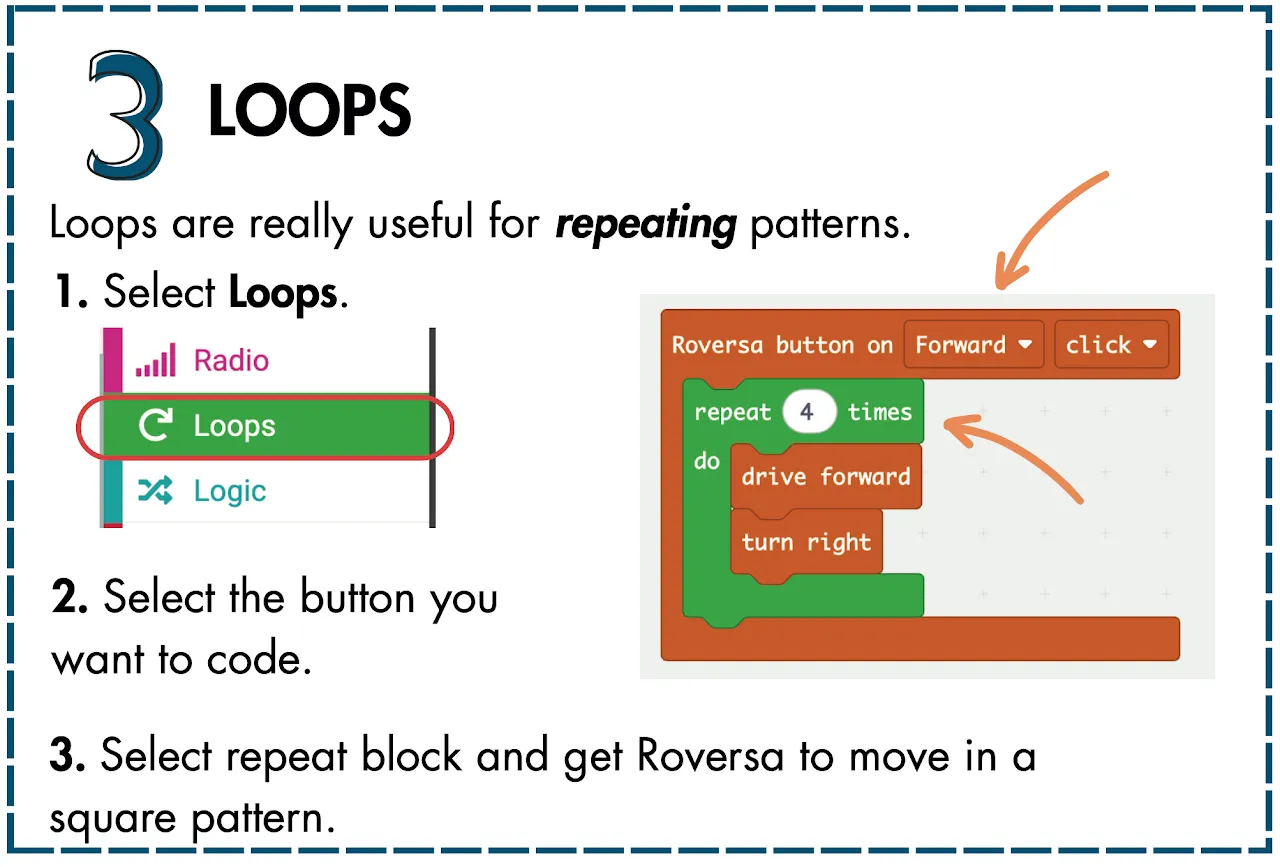
Challenge Card 3, Loops. Loops are really useful for repeating patterns. 1. Select Loops. 2. Select the button you want to code. 3. Select repeat block and get Roversa to move in a square pattern. The example code: Roversa button on Forward click, repeat 4 times: drive forward, turn right.

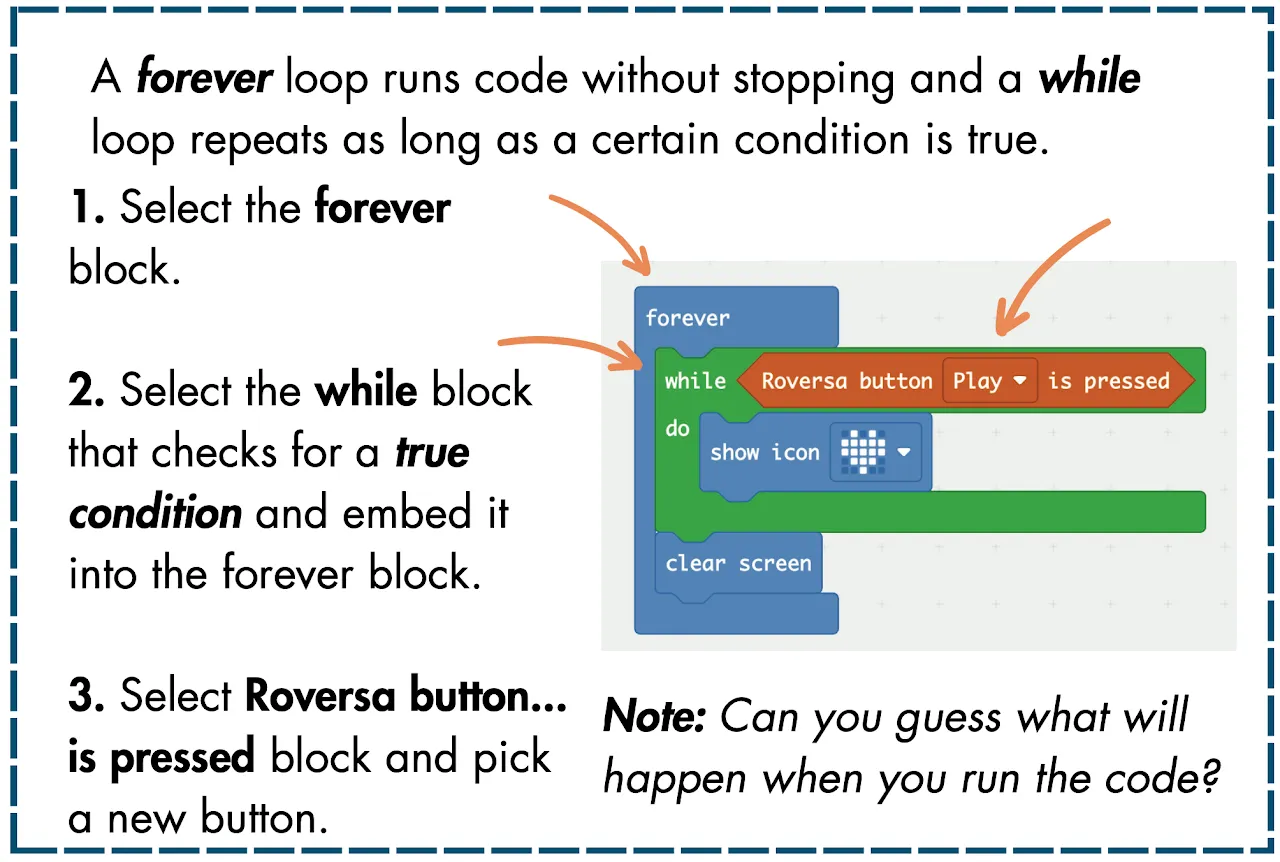
Challenge Card 3, back. A forever loop runs code without stopping and a while loop repeats as long as a certain condition is true. 1. Select the forever block. 2. Select the while block that checks for a true condition and embed it into the forever block. 3. Select Roversa button is pressed block and pick a new button. Note: Can you guess what will happen when you run the code?

← Input and Output

Logic ►

Roversa

Little robot, big dreams.

Join the mailing list

Classroom

  • Classroom home
  • Meet Roversa
  • Get Started with Your Robot
  • Lessons & Activities
  • Updates & Support

Company

  • About us
  • In the News
  • Partner with us
  • Blog
  • Store

Say hi

  • [email protected]
  • Join the Community
  • Get the newsletter
  • Instagram
  • YouTube
  • LinkedIn
  • GitHub

© 2026 Roversa Robotics LLC. Roversa™ is a trademark of Roversa Robotics LLC. Classroom materials are shared under CC BY-NC-SA 4.0.