Multilingual Guide
Multilingual Support for Roversa
Roversa uses the LED array on the micro:bit to communicate with the user. Currently, Roversa supports English and Spanish. In order to update the language:
-
Hold your finger on the logo on the micro:bit and then press the Menu button.
-
You should see a ‘stick figure’ to indicate languages.
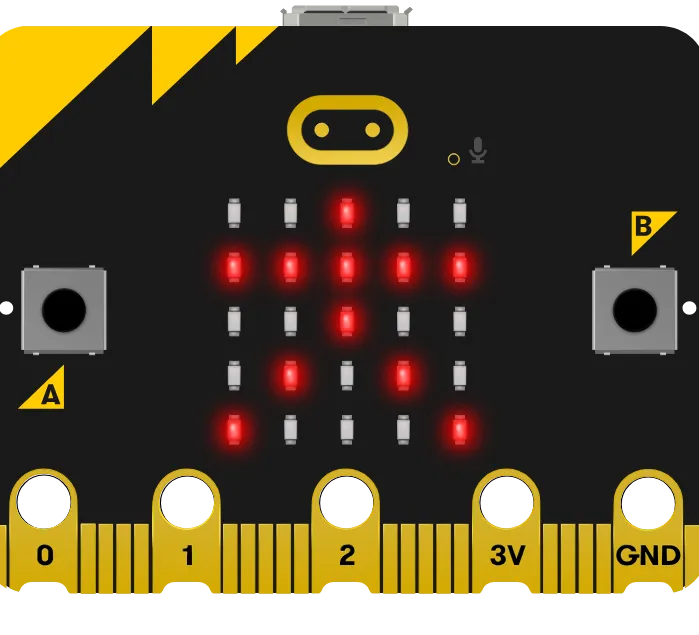
-
Forward button is English
-
Reverse button is Spanish
-
Press Play button to save
Multilingual Support for MakeCode
MakeCode offers multilingual support for their block-based programming environment.
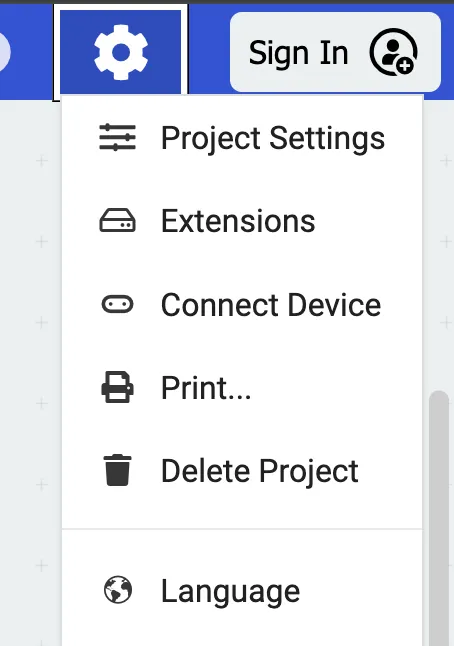
- Select the gear icon in the top right hand corner of the screen.
- Select Language from the drop-down list.
- Select the language of your choice.
- Note: Currently the Roversa extension supports English and Spanish.