Steering Calibration
If Roversa is not driving in a straight line, it may need to be calibrated for both forward and backward movement. This program helps you find the values for each direction.
Step 1 - Load the program
Download this code onto your Roversa and put it on the floor with about a foot of clear space in front of and behind it.
Step 2 - Test driving forward
The letter F will display on the LED screen.
Press green Play button and Roversa will move forward.
- If Roversa drifts right, press the Left arrow button a couple of times. Then press Play button to test. Repeat steps until Roversa drives straight.
- If Roversa drifts left, press the Right arrow button a couple of times. Then press Play button to test. Repeat steps until Roversa drives straight.
Press the Menu button to save this calibration and move to next check.
Step 3 - Now test driving backward
The letter B will display on the LED screen. Press green Play button and Roversa will move backward.
- If Roversa drifts right, press the Left arrow button a couple of times. Then press Play button to test. Repeat steps until Roversa drives straight.
- If Roversa drifts left, press the Right arrow button a couple of times. Then press Play button to test. Repeat steps until Roversa drives straight.
Press the Menu button to save this calibration.
Step 4 - Read your two numbers
Press Menu button and it shows F then your forward number, then B then your backward number.
Step 5 - Save them
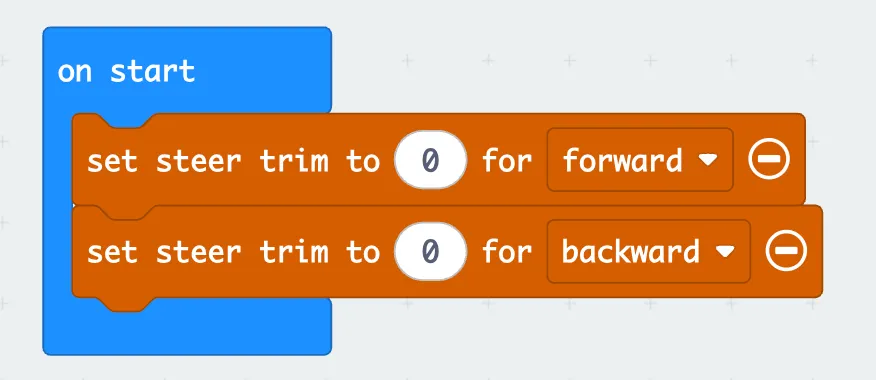
Write both numbers down. In your own project, put these two blocks inside the on start block and update the steer trim for forward and backward to those numbers.